> For the complete documentation index, see [llms.txt](https://docs.dano.finance/llms.txt). Markdown versions of documentation pages are available by appending `.md` to page URLs; this page is available as [Markdown](https://docs.dano.finance/how-to-use/guides/danogo-staking-bond/how-to-borrow-ada-staking-rights.md).
# How to Borrow ADA Staking Rights?
First, Let's connect your wallet!
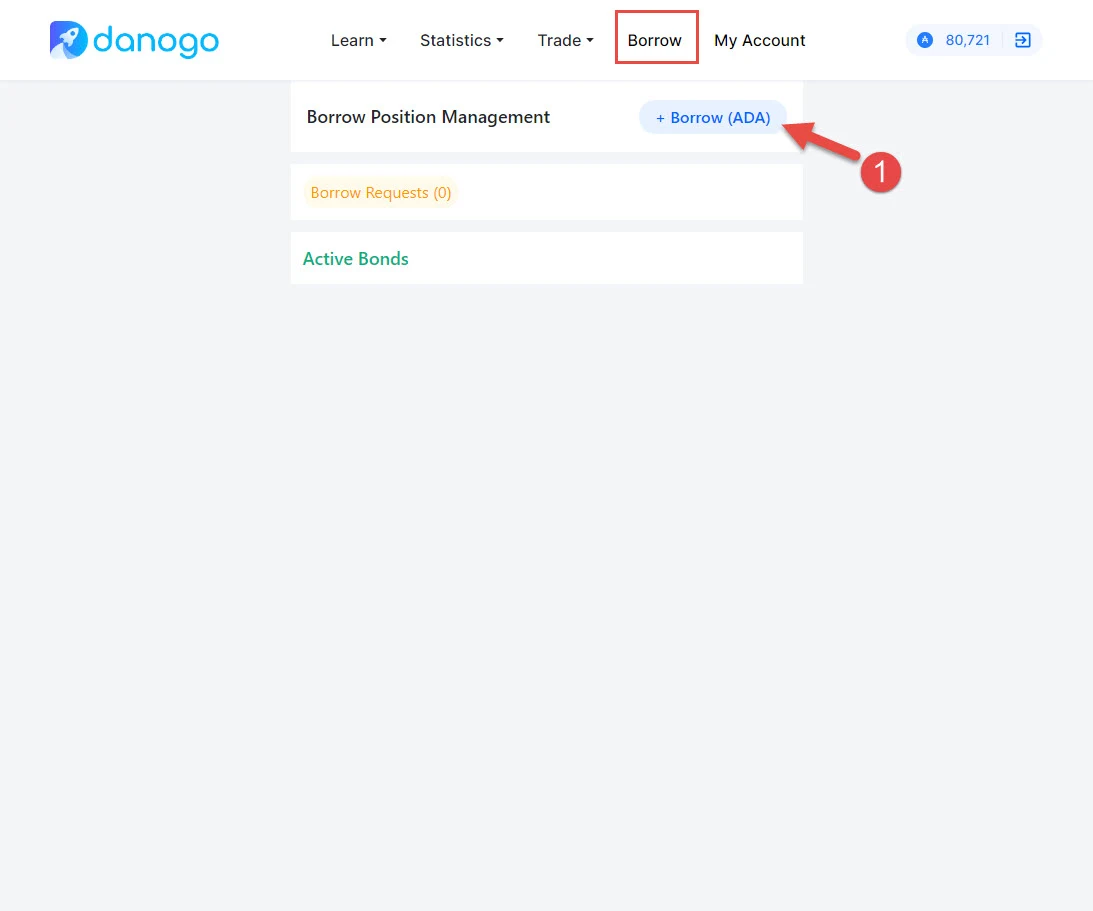
Step 1: Navigate to the Borrow menu. Click on the Borrow ADA button
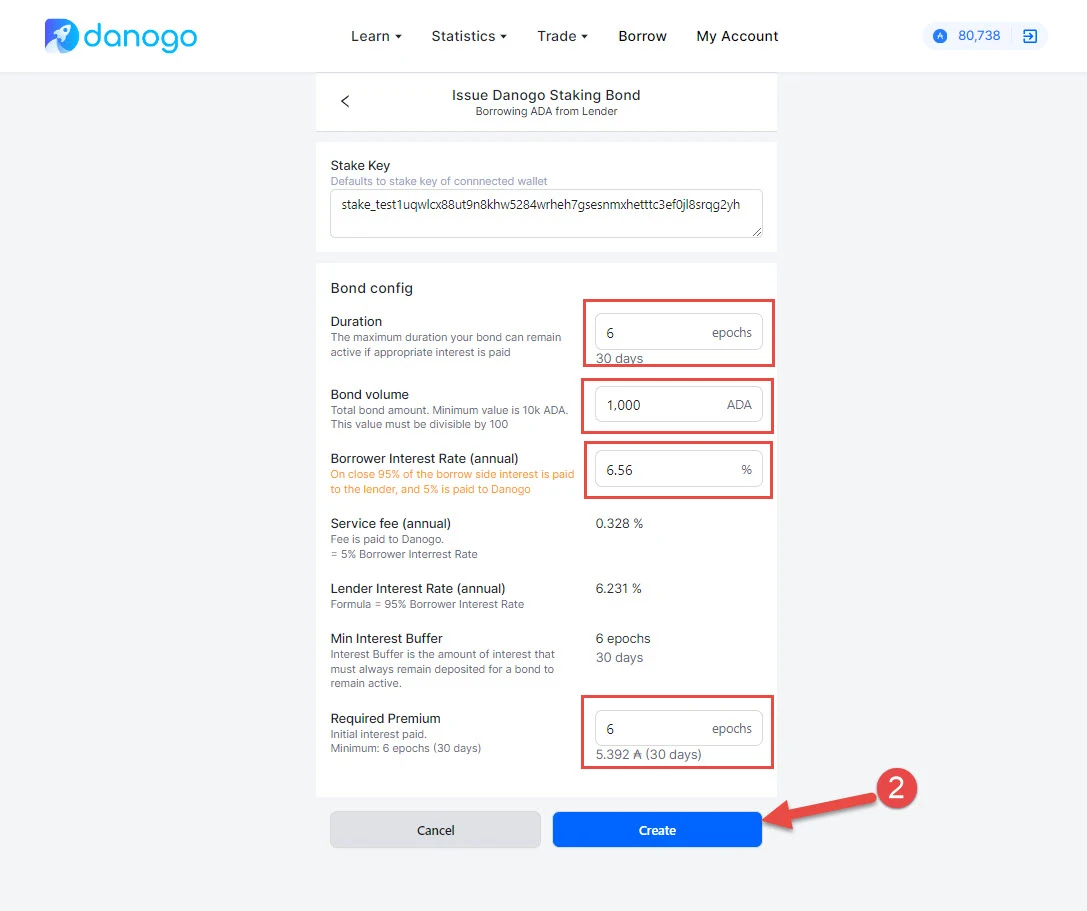
Step 2: Configure the loan settings.
* The parameters that need configuration are
* Volume
* Duration
* Borrow Interest Rate
* Premium duration
* Note: Note: Danogo will automatically calculate the premium amount (The initial interest amount that the borrower has to pay)
* Click Create Button
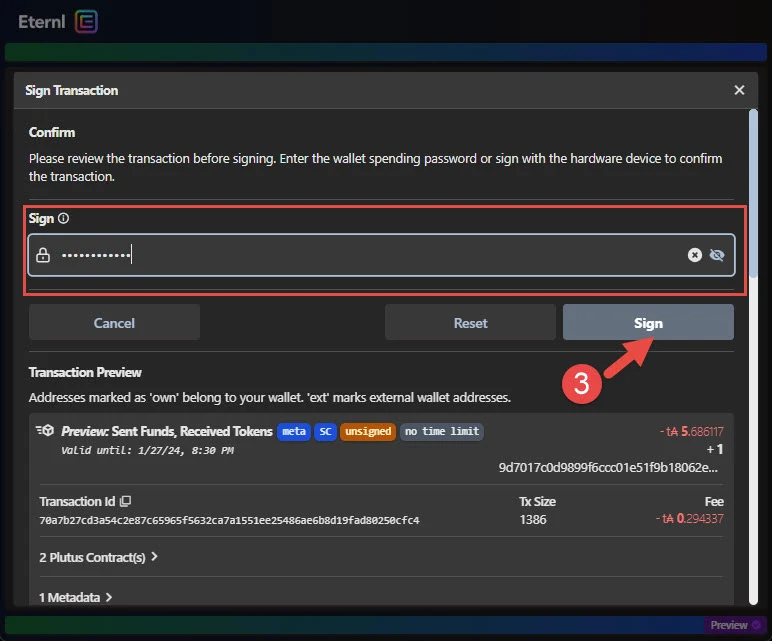
Step 3: Sign the transaction on your wallet
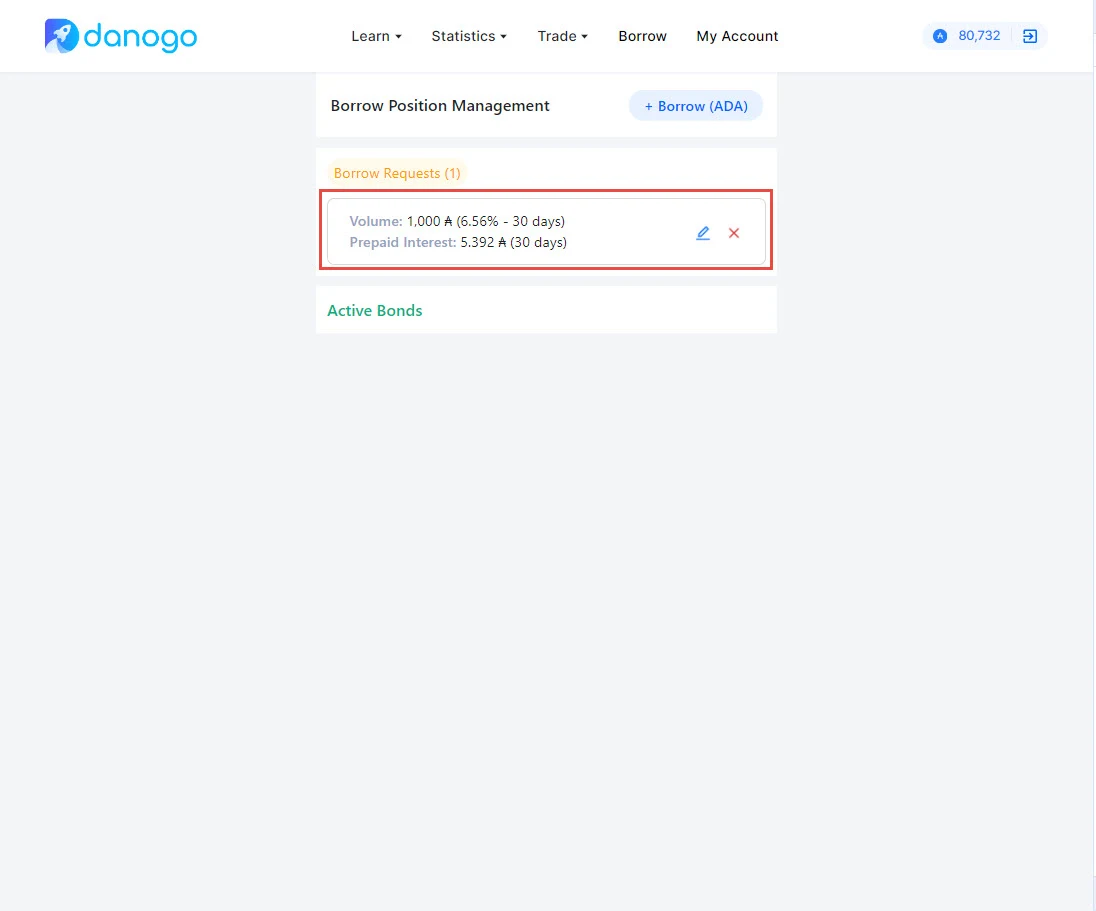
* After the transaction is completed, you will immediately receive Danogo Bond Borrow Token. This token is represented for your loan.
* The borrow request will be displayed on the Borrow screen